Macros
Every command is recordable: open Plugins ▸ Macros ▸ Record…, run a command from its dialog, and the line that appears is the macro that reproduces it. Replayed on another image, or looped over a folder, it gives the same measurement with the same settings — which is how a figure made on one image becomes a figure made on a hundred.
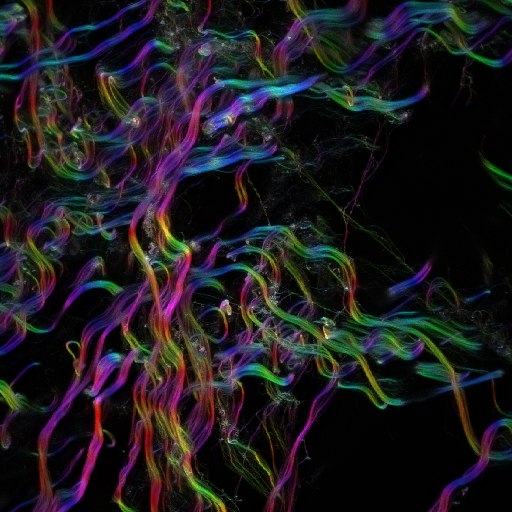
The color survey of an image
open("collagen.tif");
run("OrientationJ Analysis", "tensor=2.0 gradient=0 color-survey=on "
    + "hue=Orientation sat=Coherency bri=Original-Image ");
saveAs("PNG", "collagen-survey.png");
A vector field over the structures
open("synthetic_nematic_512.tif");
run("OrientationJ Vector Field", "tensor=4.0 gradient=0 vectorgrid=20 "
    + "vectorscale=110 vectortype=2 vectoraggregation=nematic "
    + "vectoroverlay=on vectortable=off");
saveAs("PNG", "nematic-vectorfield.png");
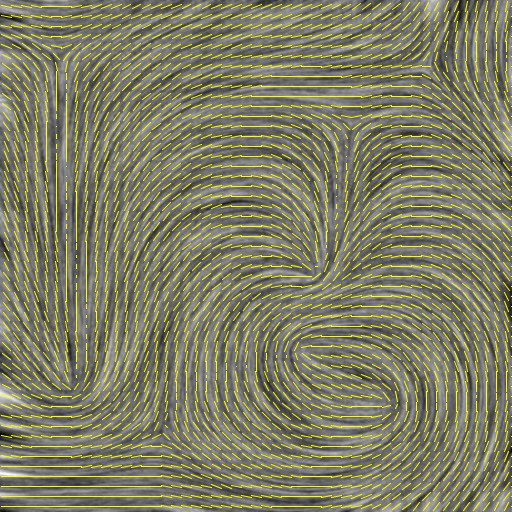
The keys of Vector Field, as the recorder writes them: vectorgrid (cell size in pixels), vectorscale (length in percent of the cell), vectortype (0 constant, 1 by energy, 2 by coherency, 3 by both), vectoraggregation (nematic, structure or average, since 2.2.0; a macro without it runs with nematic), vectoroverlay and vectortable (on or off).
An orientation distribution, background excluded
The thresholds are what makes a histogram meaningful: below 30 % coherency the angle of a pixel says nothing, and below 10 % energy there is nothing to measure. On collagen they keep 122 000 pixels out of 262 000, the flat background falling out.
open("collagen.tif");
run("OrientationJ Distribution", "tensor=2.0 gradient=0 "
    + "min-coherency=30.0 min-energy=10.0 histogram=on ");
saveAs("Results", "collagen-distribution.csv");
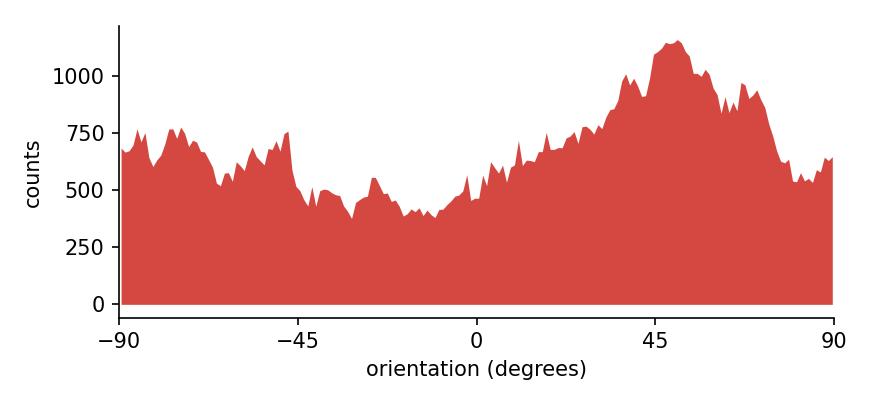
The histogram this macro writes. The plugin cannot save its table without a display, so this one is recomputed with the Python port, which reproduces the plugin’s distribution exactly.
A whole folder in one run
in  = "test-images/images/";
out = "surveys/";
list = getFileList(in);
setBatchMode(true);                       // no window opens: much faster
for (i = 0; i < list.length; i++) {
    if (!endsWith(list[i], ".tif")) continue;
    open(in + list[i]);
    run("OrientationJ Analysis", "tensor=2.0 gradient=0 color-survey=on "
        + "hue=Orientation sat=Coherency bri=Original-Image ");
    saveAs("PNG", out + replace(list[i], ".tif", "") + "-survey.png");
    close("*");
}
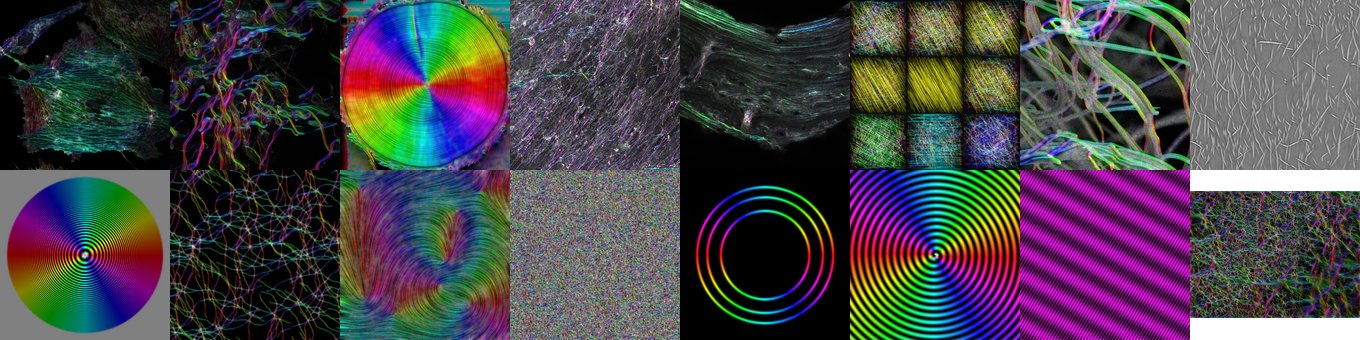
The sixteen test images, analyzed and saved by the macro above in a single run.
A series of scales, as an animation
The macro that produced the animation of the analysis scale σ: the same image analyzed at nine windows, each twice the one before, from half a pixel to a hundred and twenty-eight, each survey saved as it is computed. Assembling the frames into a GIF is left to the tool of your choice.
in  = "test-images/images/synthetic_nematic_512.tif";
out = "surveys/";
sigmas = newArray(0.5, 1, 2, 4, 8, 16, 32, 64, 128);
setBatchMode(true);
for (i = 0; i < sigmas.length; i++) {
    open(in);
    run("OrientationJ Analysis", "tensor=" + sigmas[i] + " gradient=0 color-survey=on "
        + "hue=Orientation sat=Coherency bri=Original-Image ");
    saveAs("PNG", out + "survey-" + IJ.pad(i, 2) + "-sigma" + sigmas[i] + ".png");
    close("*");
}
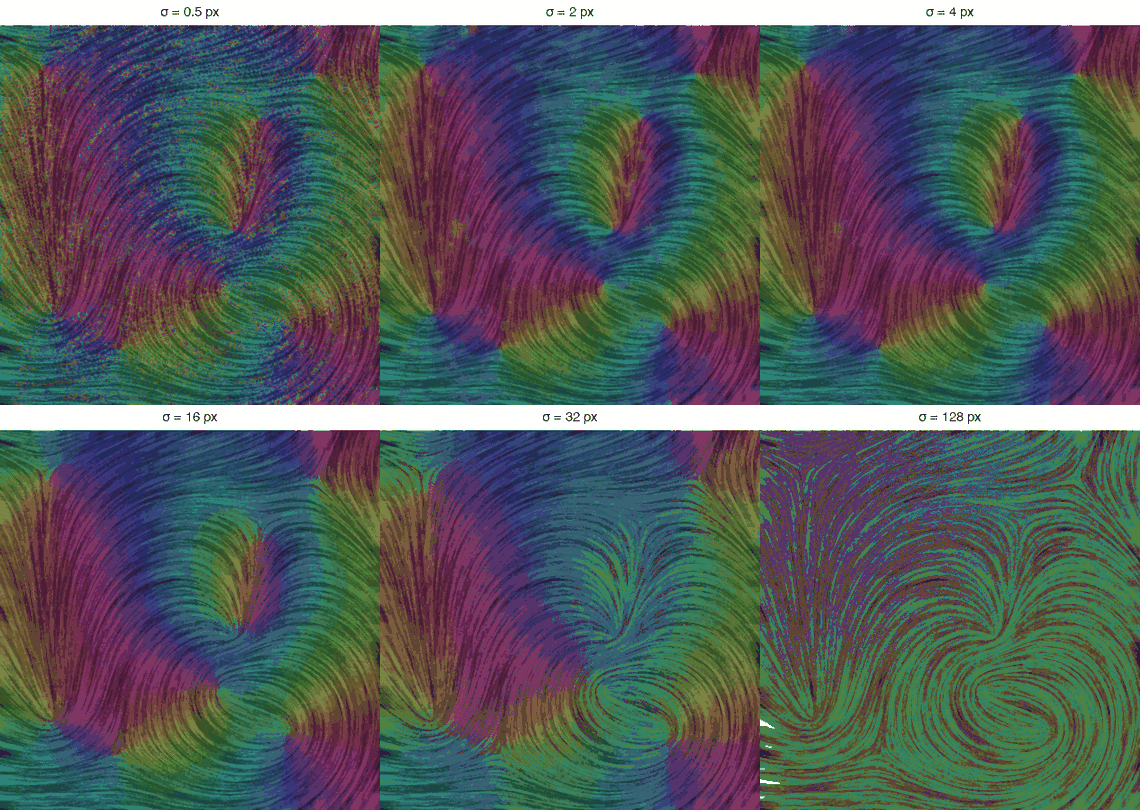
The nine frames the macro writes, on the complete nematic image.