All plugins
What each command under Plugins ▸ OrientationJ produces, in the order the menu lists them, with an example of its output.
Every command works from the same measurement: a gradient at each pixel, the gradient structure tensor averaged over the local window σ, and the eigen-analysis that gives orientation, coherency and energy. What changes from one command to the next is only what is done with those three numbers — painted over the image, binned into a histogram, drawn as arrows, or reported in a table. They therefore share the settings described in the analysis scale σ and selecting the gradient, and every one of them is scriptable from an ImageJ macro.
Analysis
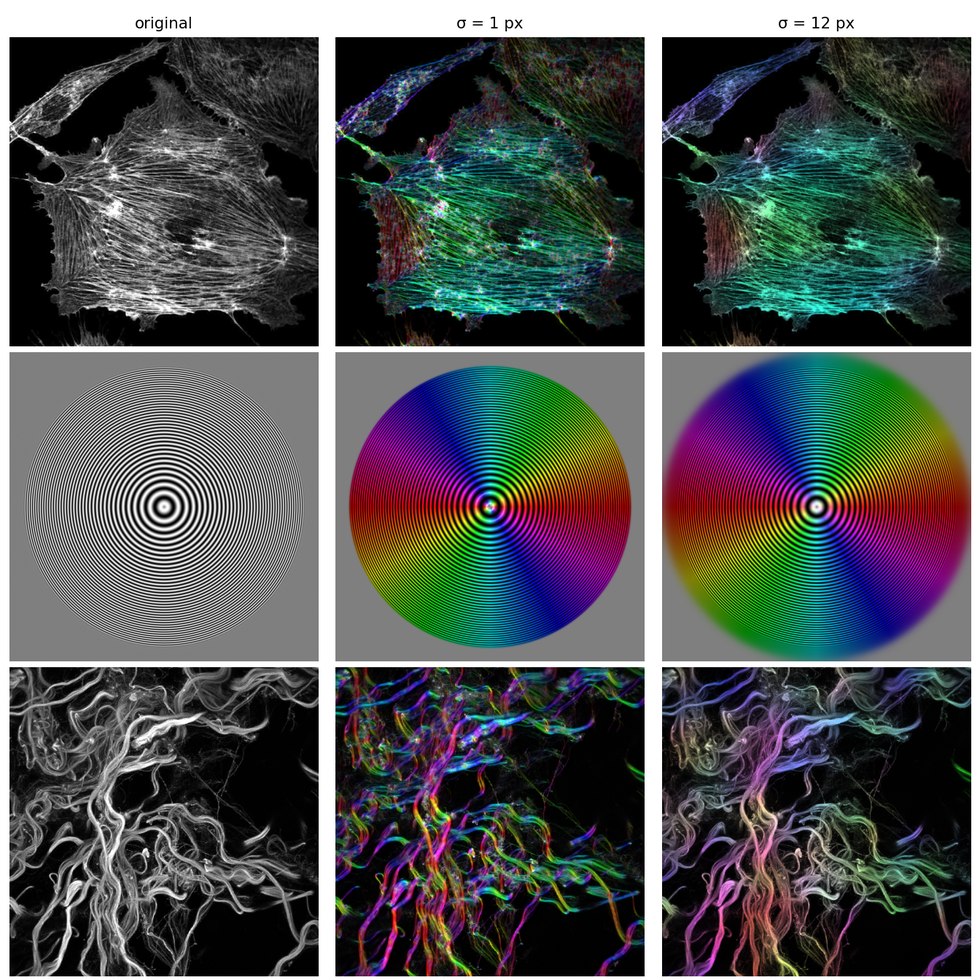
Produces the feature maps — orientation, coherency, energy, directionality, anisotropy — each as a new image, and the color survey that paints them over the original. Energy and directionality are unbounded, so they carry a display scaling; coherency and anisotropy are already in [0, 1] and are shown as computed.
Three images, each analyzed at a small and at a medium scale. The hue follows the local direction in both, but the small window resolves every fiber while the larger one keeps only the trend that survives at its size:
Distribution
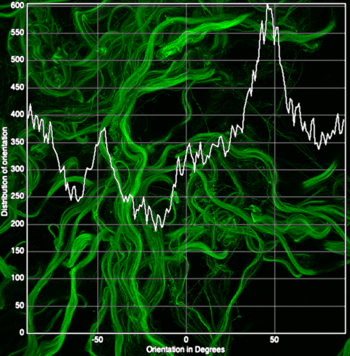
Bins the local orientations into an angular histogram, with minimum-coherency and minimum-energy thresholds so that only meaningful pixels are counted. This is the command most often used to quantify alignment, and its table can be exported for statistics.
Parameters
Distribution add a minimum coherency and a minimum energy. These do not change the measurement; they decide which pixels are allowed to vote. Raising the coherency threshold keeps only the well-oriented pixels, and raising the energy threshold discards the flat background — the practical way to stop empty regions from filling a histogram with meaningless angles.
Vector Field
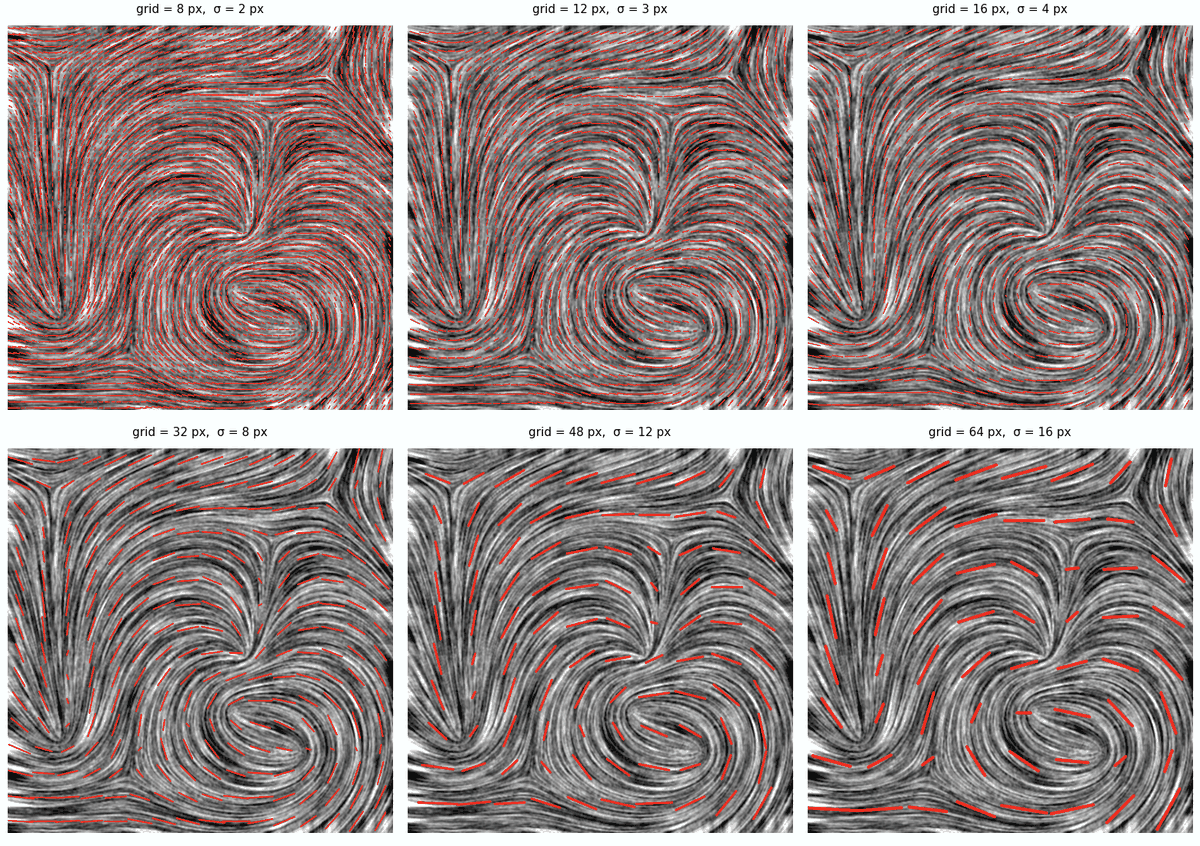
Overlays one vector per grid cell, with a length that is constant or scaled by energy, coherency, or both. The most readable summary for a figure, though the histogram is the better instrument for quantification.
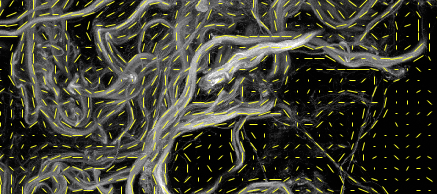
The grid and the analysis scale act together: the same field, drawn while σ grows, keeps only the trend that survives at that scale.
Parameters
Grid size is the side of a cell in pixels. Aggregation (since 2.2.0) is how the pixels of a cell are combined into one vector:
- Nematic Tensor (default) — the mean of the doubled angle of the pixels, every pixel weighing 1; the coherency of the cell is the nematic order of that mean, 1 when every pixel agrees, 0 when the orientations cancel.
- Structure Tensor — the same mean, every pixel weighing its gradient energy: the cell is the structure tensor of the plugin at the scale of the grid, and the background pixels, which carry no energy, do not vote. The coherency of the cell is the coherency of that tensor.
- Simple Average — the mean of the orientation vectors, as in the versions before 2.2.0. It treats the orientation as a direction rather than an axis, so a cell whose orientations straddle ±90° is pulled towards 0°. Kept for continuity.
Length vector scales each vector by nothing, by the energy, by the coherency or by both; Scale vector sets the overall length in percent of the cell. The choice between the two tensors is discussed in the Structure vs nematic assessment.
Measure
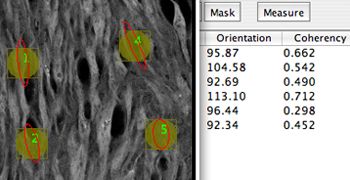
Reports orientation, coherency and energy inside the current selections, as a table — the tool for comparing a few regions rather than mapping the whole field.
Dominant Direction
Collapses the whole image to a single angle with its coherency: a one-number answer, convenient for batch comparisons across a series.
Clustering
Groups locally oriented regions into clusters and reports one representative vector per cluster — position, direction, coherency, energy — a structure-level summary of the vector field.
Horizontal Alignment
Rotates each slice of a stack so that its dominant direction becomes horizontal, which registers fibrous samples acquired at arbitrary angles before further analysis.
Corner Harris
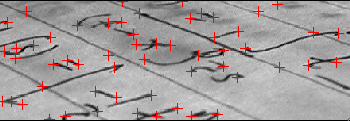
Harris keypoint detection, built on the same structure tensor: corners are the places where both eigenvalues are large.
MonogenicJ
A companion plugin, on a different footing: instead of one local window it builds a multiresolution monogenic representation of the image with the Riesz–Laplace wavelet transform, and reports orientation, coherency, phase and wavenumber at every scale. Use it when the structures of interest live at several scales at once.
The chirp is the clearest case, its period growing from the center outwards, so each scale of the decomposition answers for one ring of it:
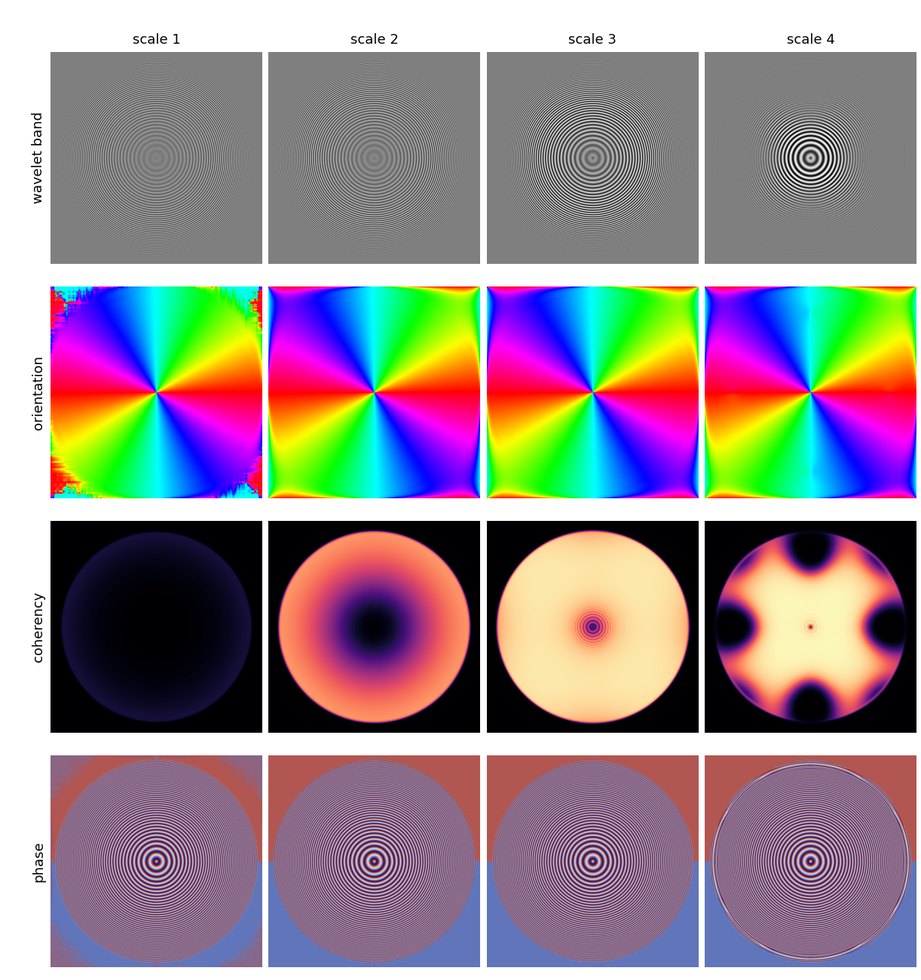
MonogenicJ on synthetic_chirp_1024, redundant transform, four scales, σ = 3. The wavelet band selects a period, and the coherency says at which scale each ring is best described: nothing at scale 1, the outer rings at scales 2 and 3, the fine center at scale 4.
Details on the MonogenicJ page, and the method in Unser et al., 2009.